Anúncios
Transform your creativity into Robux. Check out practical tips to sell on Roblox!
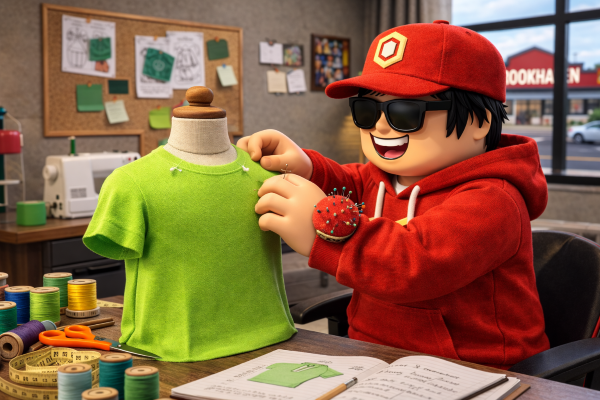
Getting Robux by creating and selling clothes on Roblox is a great way to make money inside the game. If you have a talent for design, you can turn your ideas into items that other players will love.
Millions of players are always looking for new options to customize their avatars. This creates a huge opportunity for those who can create unique and attractive pieces.
But how do you start creating clothes and accessories that actually sell? It’s not enough to just have good ideas; you need to understand how the creation and selling process works.
Want to know how to turn your creations into Robux? Discover how to start earning with your clothes and accessories on Roblox!
What Are Robux and How Can You Earn Them by Creating Clothes and Accessories?
Robux is the currency of Roblox, and with it, you can buy clothes, accessories, special items, and even participate in events within the game.
You can also exchange Robux for real money, but this is only allowed for users with a developer account (which could be you in the future!).
One way to earn Robux is by creating and selling clothes and accessories on Roblox.
In other words, you create something cool, list it for other players to buy, and thus earn Robux!
Step 1 – Tools and Preparation to Start Creating on Roblox
The first step to getting Robux by creating on Roblox is to properly prepare with the right tools. Having the ideal software will ensure your creative process is easier and faster.
With the right tools, you’ll be able to create unique items that will catch the attention of other players.
Preparation also involves understanding how the tools work and how they help you create clothes and accessories that stand out.
With dedication and the right resources, you can start creating amazing pieces and watch your Robux account grow in a fun and creative way.
Necessary Tools
- Roblox Studio: Roblox Studio is the program where you will create and organize your creations. It’s free and easy to use.
- Design Programs: To create clothes and accessories, you’ll need a graphic design program, such as Photoshop or GIMP (a free alternative). These programs help you design the visuals of your clothes and accessories.
Defining Your Audience
Roblox players love customizing their avatars, so try to make items that attract people of different ages and tastes.
When creating, think about who will wear your clothes and accessories. For example, cool clothes, funny costumes, or shiny accessories.
Step 2 – Practical Guide to Creating Clothes and Accessories on Roblox
Now that you have your tools ready, it’s time to get to work! Creating clothes and accessories on Roblox is where your creativity truly shines.
By following this practical guide, you’ll see how to become a successful creator and earn Robux at the same time.
With proper planning and the right techniques, anyone can create amazing items for Roblox.
The process can be simple and even fun, and along the way, you’ll learn how to create designs that attract players and generate consistent sales.
Creating Clothes
Here’s a step-by-step guide for creating clothes on Roblox, like shirts and pants.
- Open your design program (e.g., Photoshop or GIMP): Create a new file with the correct dimensions for a Roblox t-shirt. The ideal size is 585 x 559 pixels.
- Design your clothes: Use the program’s tools to draw your shirt or pants. You can add colors, patterns, and even fun designs. Use your creativity!
- Export the clothes: Once done, save the file as a PNG or JPG image, which is the format Roblox accepts.
Creating Accessories
If you want to create accessories like hats or backpacks, the process is a bit different.
- Use a 3D modeling program (such as Blender): This program helps you create 3D accessories like hats and glasses.
- Design and model: Create your accessory and add textures to make it more interesting.
- Export the model: Once finished, save the 3D model for uploading to Roblox.
Done! Now you have clothes and accessories created and ready to be published on Roblox.
Step 3 – How to Upload and Publish Your Creations on Roblox
Now that you’ve created your clothes or accessories, it’s time to share them with the world!
Uploading your creations to Roblox is the final step to getting Robux and starting to make money with your talent. The process is simple, and you’ll see how easy it is to turn your ideas into reality in the game.
With just a few clicks, your creations will be available to millions of Roblox players.
Get ready to see your pieces come to life in the game and, of course, start selling and earning Robux with your work.
Platform
Roblox Studio
Ready to boost your earnings? Access Roblox Studio and create stylish outfits and accessories!
- Open Roblox Studio: Go to Roblox Studio and click on “Create” in the top menu.
- Upload the File: Find the file of your creation (clothes or accessories) and upload it to the platform.
- Set the Price: Decide how much you want to charge for your creation. Roblox allows you to set the price in Robux.
- Publishing: After uploading the item and setting the price, click on “Publish.” Now, any player can see and buy your creation!
Step 4 – Pricing Strategies to Maximize Your Sales on Roblox
Setting the right price for your creations is essential for getting Robux and ensuring good sales on Roblox.
Finding a fair and competitive price will make all the difference, attracting more players and increasing your chances of success. With the right strategy, you can maximize your profits.
Tracking market trends, creating exclusive items, and even offering promotions can help boost your sales and guarantee more Robux in the end.
Setting the correct price is very important for attracting buyers. Here are some tips:
- Research the Market: See how much similar items are being sold for. If you’re a beginner, it might be best to start with lower prices until you gain more experience.
- Exclusivity: Create exclusive and rare items. Limited items can be sold for higher prices.
- Promotions: Offer promotions from time to time, such as discounts or “special offers” to increase sales.
Step 5 – How to Promote Your Creations and Increase Sales on Roblox
Promoting your creations is essential to get Robux, as good visibility can generate more sales.
The more players know about your pieces, the more chances you have to increase your profits. Let’s look at some simple and effective ways to reach a larger audience.
With the right strategies, you can grab players’ attention and turn your creations into popular items.
The right promotion will ensure that your designs get seen by the right eyes, taking your sales to the next level.
- Use Social Media: Share photos or videos of your creations on platforms like Instagram, Twitter, and YouTube. Create a page dedicated to your work and showcase your creation process.
- Join Roblox Groups: Roblox has many groups for creators and fans. Join them and share your items to reach more players.
- Take Advantage of Seasonal Events: During special events like Halloween, Christmas, or other holidays, create themed clothes and accessories! These items are in high demand during these times and can increase your sales.
- Partnerships: Try collaborating with other Roblox creators or influencers. This can help promote your items to more people.
Step 6 – How to Track Your Sales and Improve Your Creations on Roblox
Now that your creations are on the market, it’s time to monitor their performance.
Tracking your sales is a great way to understand what’s working and how you can continue earning Robux. With this analysis, you’ll know what attracts players and can optimize your creations.
Additionally, tracking sales will help you identify trends and adjust your portfolio, ensuring that your future creations are even more appealing.
The process of continuous improvement is essential for achieving more success on Roblox.
- Player Feedback: Read the comments from buyers and use their feedback to improve future creations.
- Adjustments: If an item isn’t selling well, try making some changes, such as altering the design or lowering the price.
Final Tips for Success: How to Stand Out and Earn Robux on Roblox
If you want to stand out on Roblox and get Robux, creativity is key. Think outside the box and create exclusive designs that make players fall in love with your creations.
This will make your pieces highly desirable in the game. The key to success on Roblox is to always strive to improve.
With dedication and the right tips, you can attract a large fan base and increase your sales, earning Robux consistently.
- Be Creative: The more unique your creations are, the higher your chances of standing out on Roblox.
- Practice Always: The more you create, the better you’ll get! Don’t be afraid to make mistakes; practice will help you improve.
- Stay Updated: Keep an eye on Roblox trends and create items that are popular with players.
Conclusion
Now that you know how to create and sell clothes on Roblox, it’s time to put the tips into action. With creativity and persistence, you can achieve great results. Innovate and follow the trends!
Consistency is essential. Don’t get discouraged if results take time; keep practicing and learning with each creation. Over time, your sales will naturally increase.
Use Roblox resources to optimize your creations. Joining groups and taking advantage of events can increase your visibility and help you earn Robux faster.
Related Content